
Prism Bloom Cannabis Landing Page
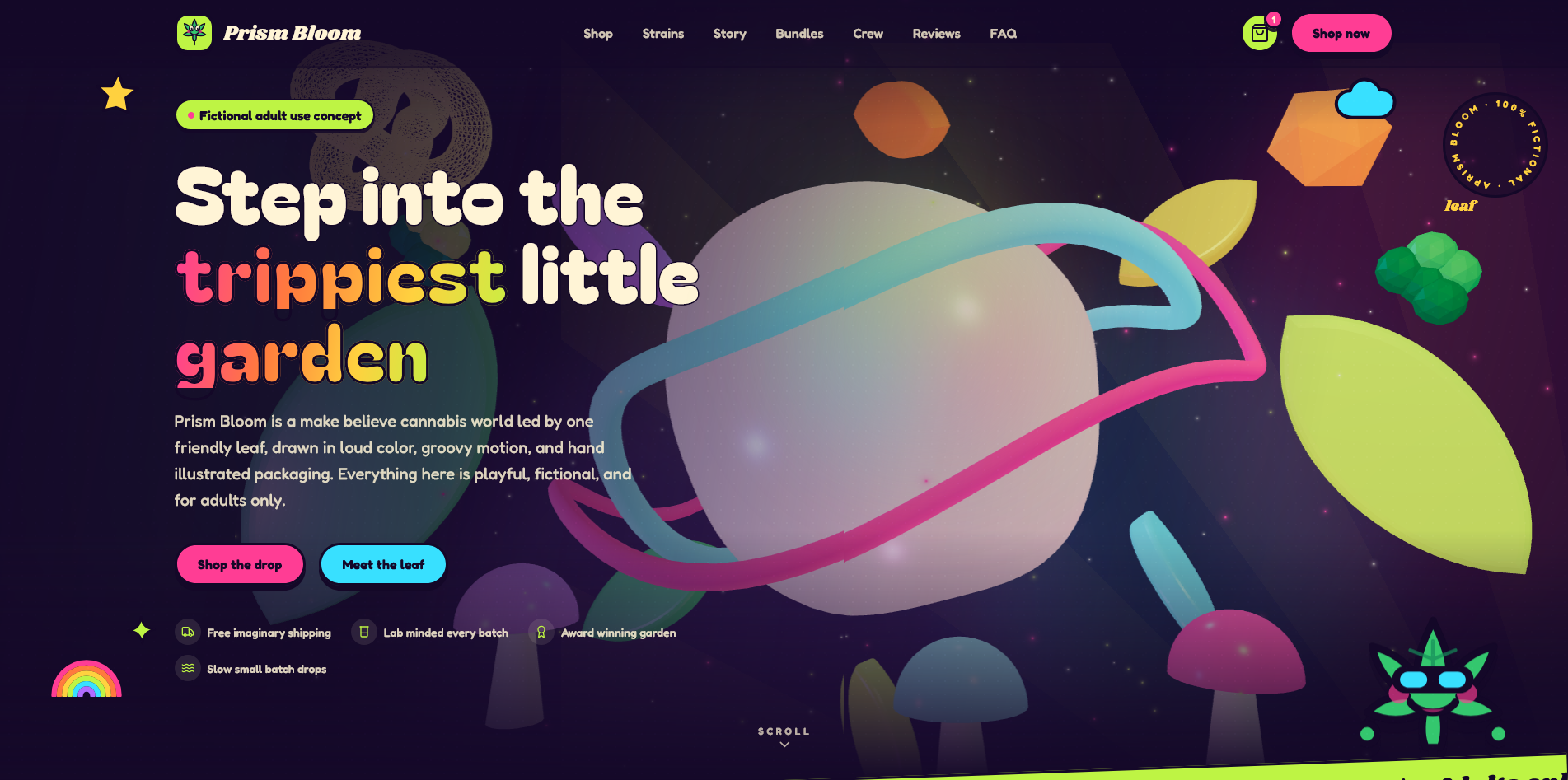
Prism Bloom is a colorful, cartoon psychedelic landing page for a fully fictional cannabis brand concept. It is made for adult focused, legal market themed presentations, portfolio previews, product mockups, and creative brand showcases.
The design includes a playful leaf mascot, animated sections, a pretend product shop, product quick view, cart drawer, age check gate, newsletter form, reviews, FAQ, and a floating back to top button.
Key Features
- Fully static website export
- No backend required
- No database required
- No real payments, orders, shipping, or product sales
- Adult age check gate
- Responsive mobile friendly layout
- Animated hero and interactive visual effects
- Pretend shop with category filtering
- Product quick view modal
- Browser saved pretend cart
- Newsletter form with custom messages
- FAQ, testimonials, brand story, bundles, and product sections
- Floating back to top button
- Reduced motion support for accessibility
Technology Used
- Next.js static export
- React
- Tailwind CSS
- Framer Motion
- React Three Fiber
- Three.js
- Lucide icons
Requirements
- Node.js 20 or newer for editing and building the project
- npm for installing dependencies and running scripts
- A modern browser such as Chrome, Edge, Firefox, or Safari
- A static hosting server such as Apache, nginx, cPanel hosting, Laragon, or any standard web host
- FTP, SFTP, cPanel File Manager, or hosting file manager for upload
- No backend server required after build
- No database required
- No payment gateway required
What You Receive
- Complete source code
- Static export support
- Reusable React components
- Editable content data file
- Responsive styling
- Ready to upload build output
Customization
Most website content can be edited from lib/data.ts. This includes the brand name, navigation, products, bundles, reviews, FAQ, slogans, crew members, and footer content.
Colors are managed through shared CSS variables in app/globals.css. This makes it easy to adjust the full visual theme without editing every component.
Local Setup
- Extract the project files.
- Open the project folder in your code editor.
- Run
npm install. - Run
npm run devto preview locally.
Build Instructions
Before uploading to your server, set the correct base path in .env.local.
NEXT_PUBLIC_BASE_PATH=/prismBloomThen build the static export:
npm run buildThe final upload files will be created inside the out folder.
Upload Instructions
Upload only the contents inside the out folder to your server path.
For example, if your page should open at:
https://lab.wasark.com/prismBloom/Your server folder should contain:
/prismBloom/index.html
/prismBloom/404.html
/prismBloom/icon.svg
/prismBloom/_next/
Important Notes
- This is a fictional brand concept.
- No real cannabis products are sold through this page.
- No payment gateway is included.
- No checkout order is submitted anywhere.
- The cart is only for visual and demo purposes.
- The age gate is a front end responsible access message, not legal identity verification.
- Keep the responsible messaging if adapting the template.
Best Use Cases
- Creative landing page template
- Portfolio showcase
- Brand concept presentation
- Static website demo
- Design inspiration for legal market themed projects
Prism Bloom is easy to customize, visually memorable, and simple to host. Since it exports as static HTML, it can run on most standard hosting environments without keeping a Node server online.